
Built around how university departments actually assess.
ASQScholar is a learning management system with assessment integrity at its core: secure exams, faculty-controlled AI grading, entrance testing, and outcome mapping, for teachers, students, coordinators and exam offices.
Or request a departmental demo; we walk your team through it live.
Who are you?
Start with your role.
Each tour follows a real workflow end to end, with the screens you would actually use.
Faculty
Build subjects and classes, deliver lectures, draft assessments with AI, and grade against your own rubrics, with every AI proposal waiting for your approval.
- Subjects, classes & enrolment keys
- Lectures with video & study aids
- Quizzes, exams & segmented assignments
- AI grading you review before publishing
Students
Join a class with a key, sit timed assessments, read structured feedback, and keep your own notes, calendar and files in one place, on web or mobile.
- Timed quizzes with access codes
- Feedback & reflection after results
- Collaborative notes, forum, calendar
- Android app & offline PWA
Coordinators & office staff
Class dashboards, rosters, attendance, engagement and ODL reporting, and storage quotas, without needing a teacher login for every class.
- Program & class dashboards
- Attendance and roster reports
- Engagement & ODL reporting
- Enrolment support console
Exam & admissions office
Run exam-day sessions on an isolated exam box with single-use access codes, then publish settled results back to the live system. Manage entrance-test projects end to end.
- Exam-box mode with access-code cards
- Device, IP & Safe Exam Browser controls
- Full exam event logging
- CBT projects, candidates & interviews
Administrators & IT
Approve teachers, structure programs, batches and terms, govern question banks, manage AI credits, and audit everything.
- User approvals & roles
- Programs, batches, academic terms
- Question-bank governance
- AI usage & credit management
Not sure where you fit?
Browse the full feature inventory, or tell us about your department and we'll point you to the right starting place.
What do you need to solve?
Six problems departments bring to us.
These are the areas where the platform is deepest, and where most conversations start.
Secure high-stakes exams
Isolated exam-box deployments, single-use login codes, approved devices and IPs, Safe Exam Browser support, and a complete event log for every attempt.
Learn how it worksFaculty-controlled AI grading
Rubric-aligned evaluation of written work, section by section. AI produces grade proposals; the teacher approves, adjusts, or rejects before anything reaches a student.
Learn how it worksAcademic integrity & AI-content signals
Similarity scanning plus stylometric and content-marker analysis with highlighted evidence spans, presented to the teacher as evidence, never as an automatic verdict.
Learn how it worksAdmission & entrance testing
Import candidates, build multi-section tests, run invigilated sittings with candidate locks, schedule interview panels, and review results by cohort, geography and repeats.
Learn how it worksOutcomes mapping for accreditation
Tag learning outcomes by Bloom level, map them to questions and lectures under course objectives, and link them upward to program outcomes, with rubrics and grading schemes to match.
Learn how it worksEngagement & distance learning
Participation benchmarking, engagement flags and digests, video-watch depth, and weekly module plans for ODL delivery, surfaced to teachers and coordinators.
Learn how it worksHow it works
A semester, in five steps.
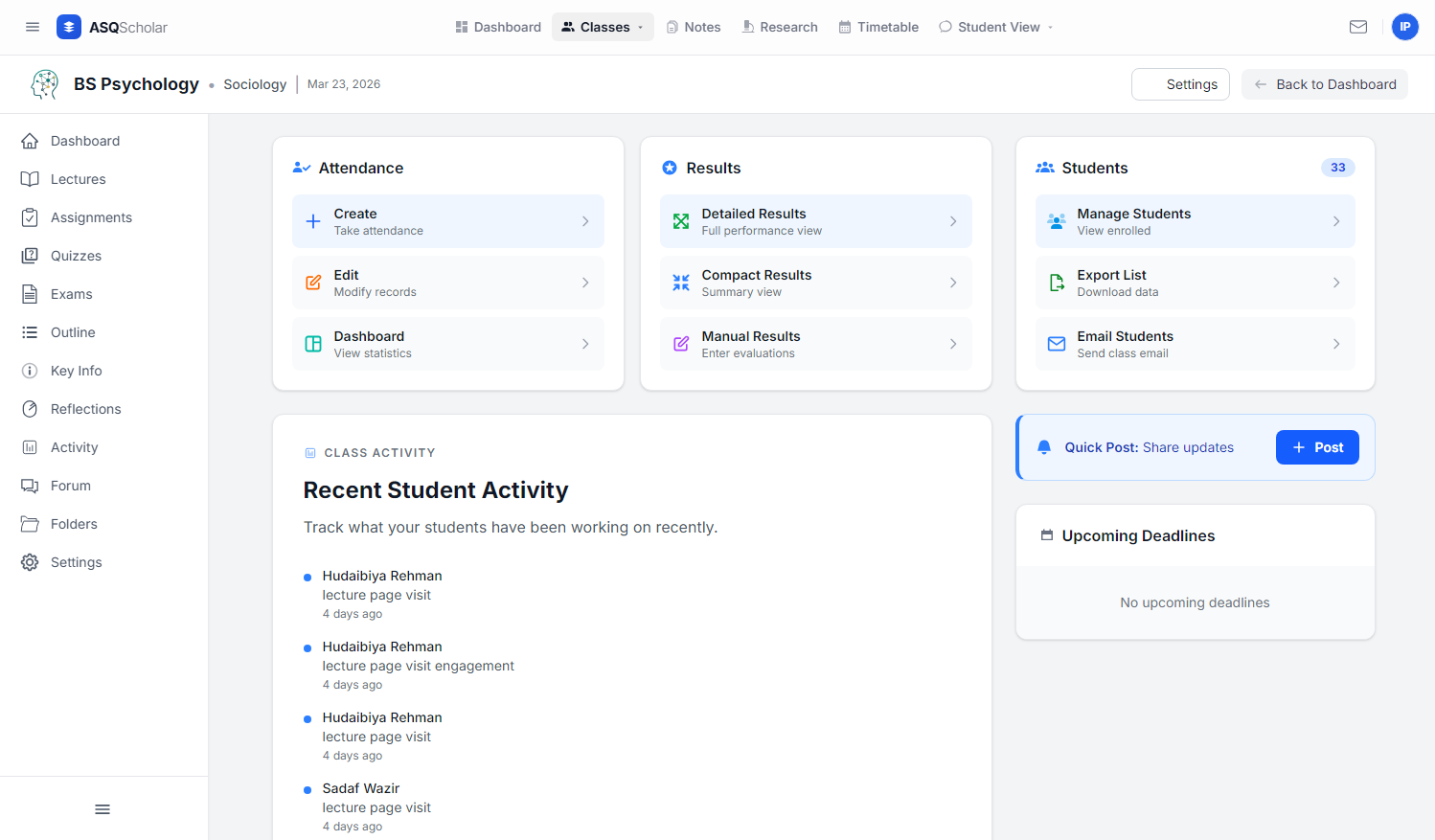
This is the same path our in-app guided tour walks new faculty through. Nothing here requires IT involvement: a single instructor can run the whole loop in a sandbox.
-
01
Set up a subject and class
Create a subject, attach it to a program and batch, and share a short enrolment key with students.
-
02
Deliver lectures and plans
Publish lecture content with video, transcripts and study aids against a weekly plan.
-
03
Build and assign assessments
Draft quizzes, exams or segmented assignments (optionally AI-assisted from your syllabus) with time limits and access codes.
-
04
Grade with AI, publish yourself
Review rubric-aligned proposals, adjust marks, then release results and feedback in one action.
-
05
Read the analytics
Item analysis, engagement flags, class performance and outcome mapping for you and your coordinator.
See it working
See the platform with real data.
A faculty sandbox gives you a working instance with seeded classes, attempts and results, so you can evaluate both the student and the teacher side.
See what the teacher sees
Item analysis, per-question difficulty, engagement flags and AI evaluation review: the other half of every attempt. Available in a faculty sandbox with realistic seeded data.
How it fits your institution
Three ways to adopt.
Start with one instructor and grow to a department or a full exam-day environment. Pricing is scoped to the deployment; contact us for details.
Faculty sandbox
One instructor or a small group evaluating the platform
- Your own subjects and classes
- Full assessment & AI-grading workflow
- Set up within one business day
Departmental deployment
A department standardising assessment across faculty
- Programs, batches & coordinator dashboards
- Shared question banks and rubrics
- Attendance, engagement and reporting
Institution with exam box
Institutions running high-stakes or entrance exams
- Isolated exam-day environment
- Live ↔ box synchronisation
- CBT module and invigilation controls
Security & AI policy
Designed for the questions your IT office will ask.
Two-factor, passkeys & biometrics
Fortify-based 2FA, WebAuthn passkeys and biometric sign-in on mobile.
Approved devices & networks
Device approval, approved IPs and subnets, and Safe Exam Browser enforcement.
Teacher-in-the-loop AI
AI never posts a grade. Every proposal is reviewed and released by a human.
Audited exam events
Attempt, focus and access events are logged and available to exam staff.
AI evaluation is optional per assessment. Written responses sent for evaluation are processed by the provider configured by your administrator; no grades are released without teacher approval. See our privacy policy for data-processing details.
Standardise assessment across your department.
Start small with a sandbox, or bring your coordinators and exam staff to a live walkthrough.